 English
  Deutsch
  Español
  Italiano
  Български
  简体中文
简体中文  Polski
  Nederlands
  Dansk
Dansk  Svenska
  Français
  Português
  Ελληνικά
  Català
  Română
  Suomi
Suomi  Čeština
  Magyar
comparison
Top 10 Website Accessibility Testing Tools in 2026
How we evaluated 10 leading platforms for WCAG 2.2, ADA, and EAA compliance — and why continuous monitoring now matters more than a one-time scan.

How we evaluated 10 leading platforms for WCAG 2.2, ADA, and EAA compliance — and why continuous monitoring now matters more than a one-time scan.
Why Your Accessibility Tool Choice Matters in 2026
Digital accessibility stopped being optional a while ago, but 2026 has raised the stakes further. The European Accessibility Act (EAA) has been in force since June 28, 2025, requiring most businesses selling digital products or services into the EU to meet EN 301 549 / WCAG 2.2 AA. In the US, ADA Title II compliance deadlines for state and local government sites have already passed for larger entities, and ADA Title III litigation against private businesses continues at a high volume. WCAG 2.2 is now the reference standard cited by regulators across North America, Europe, and beyond.
At the same time, the tooling landscape has shifted. Nearly every vendor in this space now bolts “AI” onto its product — AI-suggested fixes, AI-guided testing, AI agents that draft remediation code. That’s a genuine improvement in speed, but it doesn’t change a more fundamental limit: automated testing, however smart, can only ever catch a portion of WCAG’s success criteria. Things like whether alt text actually describes an image meaningfully, whether a custom widget’s keyboard behavior makes sense, or whether a screen-reader user can actually complete a checkout flow, still require a human — ideally one with lived experience of assistive technology — to judge.
That’s why the tools on this list are evaluated not just on how many issues they can flag automatically, but on how well they help teams close the gap between automated scanning and genuine, verified accessibility. Continuous monitoring matters here too: a site that passed an audit six months ago can quietly regress with every content update, new component, or redesign, so the strongest platforms below treat accessibility as an ongoing process, not a one-time certificate.
How We Evaluated These Tools
We assessed each platform against eight criteria, weighing both raw detection capability and how usable the results are for the teams who have to act on them:
- Accuracy & false positives: How reliable flagged issues are, and how much noise a team has to filter out.
- Enterprise readiness: Site-wide scanning, role-based access, and reporting built for stakeholders beyond developers.
- Monitoring model: Real-time and scheduled scanning versus one-off, point-in-time checks.
- CI/CD integration: How easily the tool fits into existing build and deployment pipelines.
- AI assistance: Whether AI meaningfully speeds up triage and remediation, or is just a marketing label.
- Reporting & dashboards: Clarity of reporting for developers, auditors, and executives alike.
- Developer experience: Setup friction, documentation quality, and how actionable the guidance is.
- Pricing transparency & ease of use: Whether pricing is public, and how quickly a new user can get a first result.
This assessment is based on public product documentation, pricing pages, release notes, and independent commentary (including the WebAIM Million and industry research on automation coverage) current as of mid-2026. As with any vendor comparison in this space, note that we are an accessibility vendor ourselves — QualiBooth — and we’ve tried to be transparent about that rather than pretend otherwise; the fact sheets for tools #2–10 are built entirely from each vendor’s own public claims and independent, citable sources.
Editorial independence and methodology
This comparison represents QualiBooth’s editorial assessment based on publicly available product documentation, pricing information, release notes, product testing, and independent industry research available at the time of writing. Rankings reflect our evaluation against the criteria described above and are intended to help readers compare platforms rather than represent an objective industry standard.
The Top 10 Accessibility Tools for 2026
1. QualiBooth
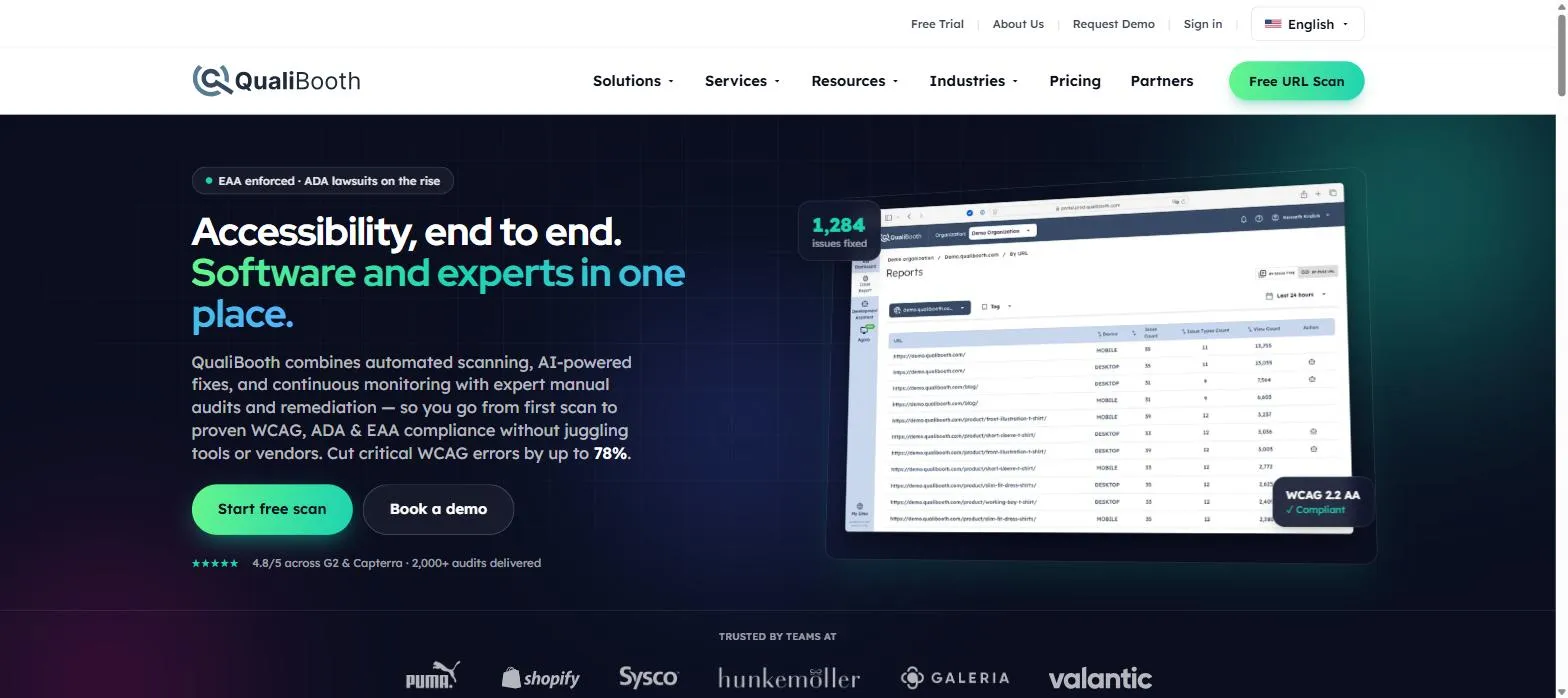
Best for: Enterprises, digital agencies, and development teams looking for a complete accessibility platform that combines continuous monitoring, developer-first testing, AI-assisted remediation, and compliance reporting throughout the software development lifecycle.
QualiBooth is an end-to-end digital accessibility platform designed to help organizations build accessibility into every stage of the software development lifecycle rather than treating it as a one-time compliance exercise.
Unlike many accessibility solutions that focus exclusively on automated scanning or manual audits, QualiBooth combines continuous website monitoring, developer tooling, AI-assisted remediation, static code analysis, and expert accessibility services within a single platform.
QualiBooth combines three complementary testing approaches. Real-Time Scanning continuously evaluates live websites and user interactions, while Scheduled Scanning performs recurring crawler-based assessments across entire websites to identify trends and regressions over time. Earlier in the development lifecycle, Static Code Analysis integrates into CI/CD pipelines to detect accessibility issues before code reaches production. Together with the Agora desktop application for advanced testing of dynamic and authenticated experiences, these capabilities provide comprehensive accessibility coverage from development through production.
Recognizing that automation alone cannot identify every accessibility issue, QualiBooth also provides expert manual audits, including testing performed by people with disabilities, helping organizations validate usability, screen reader compatibility, keyboard navigation, and other scenarios that require human judgement.
The platform also embraces modern AI-assisted development through its MCP Server, allowing developers to trigger scans, retrieve reports, and review accessibility findings directly from AI coding assistants such as Claude, Cursor, and GitHub Copilot without leaving their development environment.
The result is a platform that supports accessibility from the first line of code through deployment, production monitoring, compliance reporting, and continuous improvement.
Key features
- Real-Time Accessibility Scanning for live websites
- Scheduled Accessibility Scanning with recurring monitoring and historical trend analysis
- Static Code Analysis integrated into CI/CD pipelines and pull request workflows
- AI-powered issue explanations and remediation guidance
- Agora desktop application for testing dynamic and authenticated user journeys
- Manual audits performed by accessibility experts, including people with disabilities
- Executive dashboards with historical trends and prioritized issue reporting
- Audit-ready compliance reporting for WCAG 2.2, ADA, EAA, Section 508, and EN 301 549
- MCP Server for AI-assisted development workflows with Claude, Cursor, and GitHub Copilot
- Jira integration, PDF exports, email reporting, and developer-friendly remediation workflows
Pros
- Covers the entire accessibility lifecycle — from development through production monitoring and compliance reporting
- Combines automated testing, static code analysis, AI assistance, and expert manual audits within one platform
- CI/CD integration helps identify accessibility issues before deployment
- Supports both technical development teams and business stakeholders through dedicated dashboards and reporting
- Strong focus on enterprise accessibility governance and continuous improvement
Cons
- Some enterprise capabilities require initial configuration and onboarding
- Organizations looking only for a lightweight browser extension may find the platform more comprehensive than necessary
- Advanced services such as manual audits are available as part of higher-tier offerings
Pricing: Free URL scan and free trial available. Standard plans start at $79/month (solutions from €59/month). Enterprise plans and manual accessibility services are available through custom quotation.
Why QualiBooth Ranked Highest in Our Evaluation
Many accessibility tools excel in one specific area — developer testing, automated website scanning, compliance consulting, or manual audits. QualiBooth distinguishes itself by bringing these capabilities together into a single platform. Rather than treating accessibility as a separate compliance activity, it supports the entire accessibility lifecycle — from Static Code Analysis in CI/CD pipelines and AI-assisted development, through Real-Time and Scheduled Scanning, to executive reporting, compliance documentation, and expert manual validation. This combination makes QualiBooth particularly well suited to modern engineering teams that want accessibility embedded throughout the software development lifecycle while also providing the governance, reporting, and compliance capabilities required by enterprise organizations.
2. Deque axe DevTools
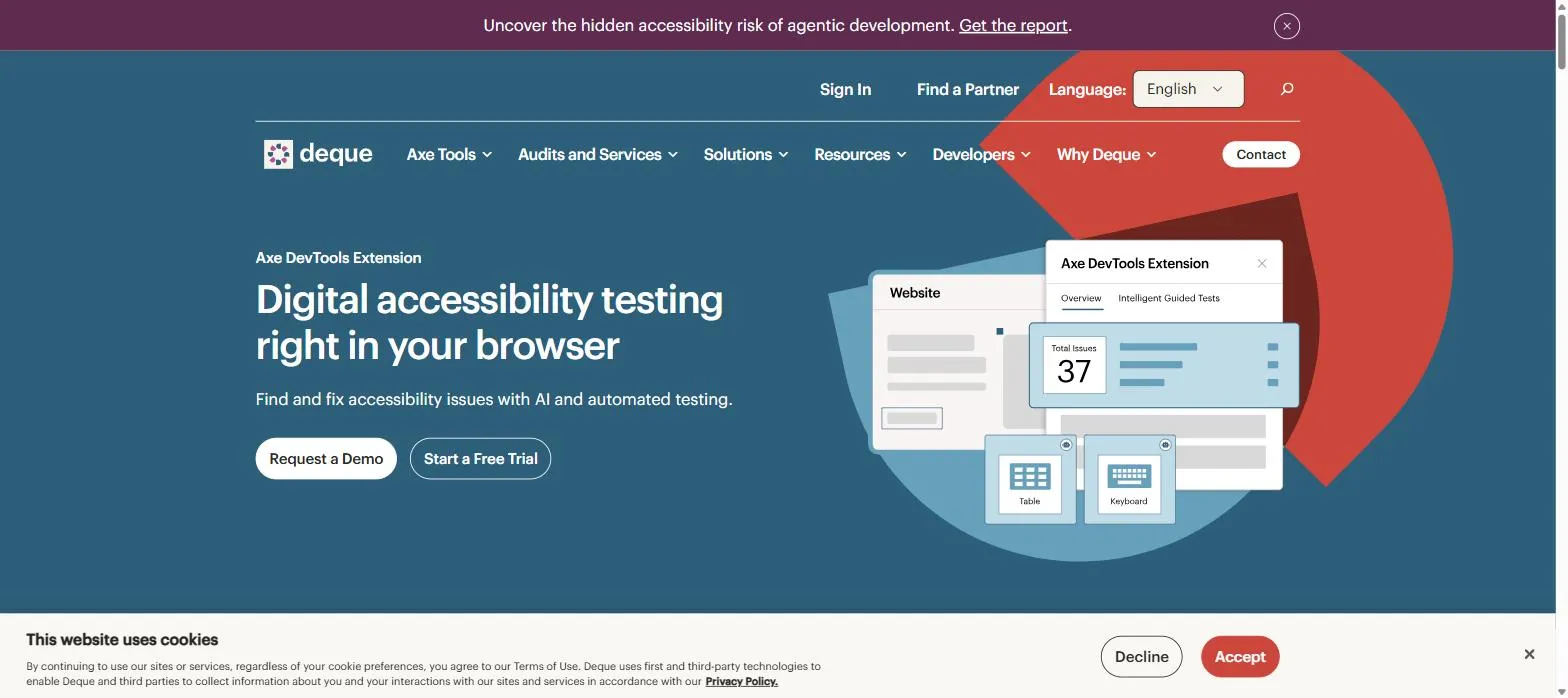
Best for: Development teams that want the industry-standard automated engine (axe-core) wired directly into their editor, browser, and CI/CD pipeline.
Axe DevTools is built around axe-core, the open-source rules engine that has been downloaded billions of times and underpins large parts of the accessibility-testing industry — including tools further down this list.
Deque’s paid layer adds AI-guided testing, a code linter that flags accessibility issues as developers type, an MCP server for IDE-native fixes, and enterprise reporting through Axe Monitor. Deque was named a Leader in the 2025 Forrester Wave for Digital Accessibility Platforms, reflecting how deeply its tooling has embedded itself in developer workflows.
Key features
- Free and Pro browser extension (Chrome, Firefox, Edge) with AI Intelligent Guided Tests
- Axe DevTools Linter for static code analysis
- Axe MCP Server for AI-assisted, IDE-native fixes
- Integrations with Cypress, Selenium, Jest, and Appium
- Issue deduplication with Jira export
Pros
- axe-core is the most widely adopted open-source accessibility engine, so results are well understood and broadly trusted
- Deep integration into developer tooling and CI/CD pipelines
- Named a Leader in the 2025 Forrester Wave for Digital Accessibility Platforms
Cons
- Like all automated engines, it doesn’t replace manual or assistive-technology testing — Deque says this directly
- Pro and Bundle pricing isn’t public, so budgeting requires a sales conversation
Pricing: Free browser extension; Pro tier has a 14-day free trial (price not published); enterprise Bundle is quote-based.
3. Siteimprove
Best for: Large enterprises that want accessibility governance tied into broader content, SEO, and analytics reporting for stakeholders.
Siteimprove scans entire sites — pages, PDFs, and media — for WCAG, ADA, Section 508, and EAA issues, then ties the results into an executive reporting layer that shows how accessibility fixes affect broader business KPIs.
Now operating under the Siteimprove.ai banner after its 2025 rebrand, the platform has leaned into agentic AI features: a PDF Remediation Agent, a Content Optimization Agent, and an MCP Server that connects to Figma and VS Code. It’s a strong fit for organizations that already think about accessibility as one lever inside a bigger content-governance program.
Key features
- Site-wide scanning across pages, PDFs, and embedded media
- Siteimprove.ai MCP Server with Figma and VS Code integrations
- Mobile accessibility testing
- Executive dashboards tying accessibility to business KPIs
- Browser extension for spot-checks
Pros
- Strong enterprise reporting and ROI framing for non-technical stakeholders
- Large enterprise customer base with public case studies (Northern Arizona Healthcare, Denver, Valley Bank)
- Actively expanding agentic AI tooling through 2026
Cons
- No public pricing — third-party estimates put annual contracts in the tens of thousands of dollars, unconfirmed by Siteimprove
- No free tier; onboarding starts with a demo
- Scope has broadened well beyond accessibility into SEO and content strategy, which not every buyer needs
Pricing: No free tier; demo-only onboarding; fully custom, quote-based pricing.
4. Accessibility Checker (ACE™)
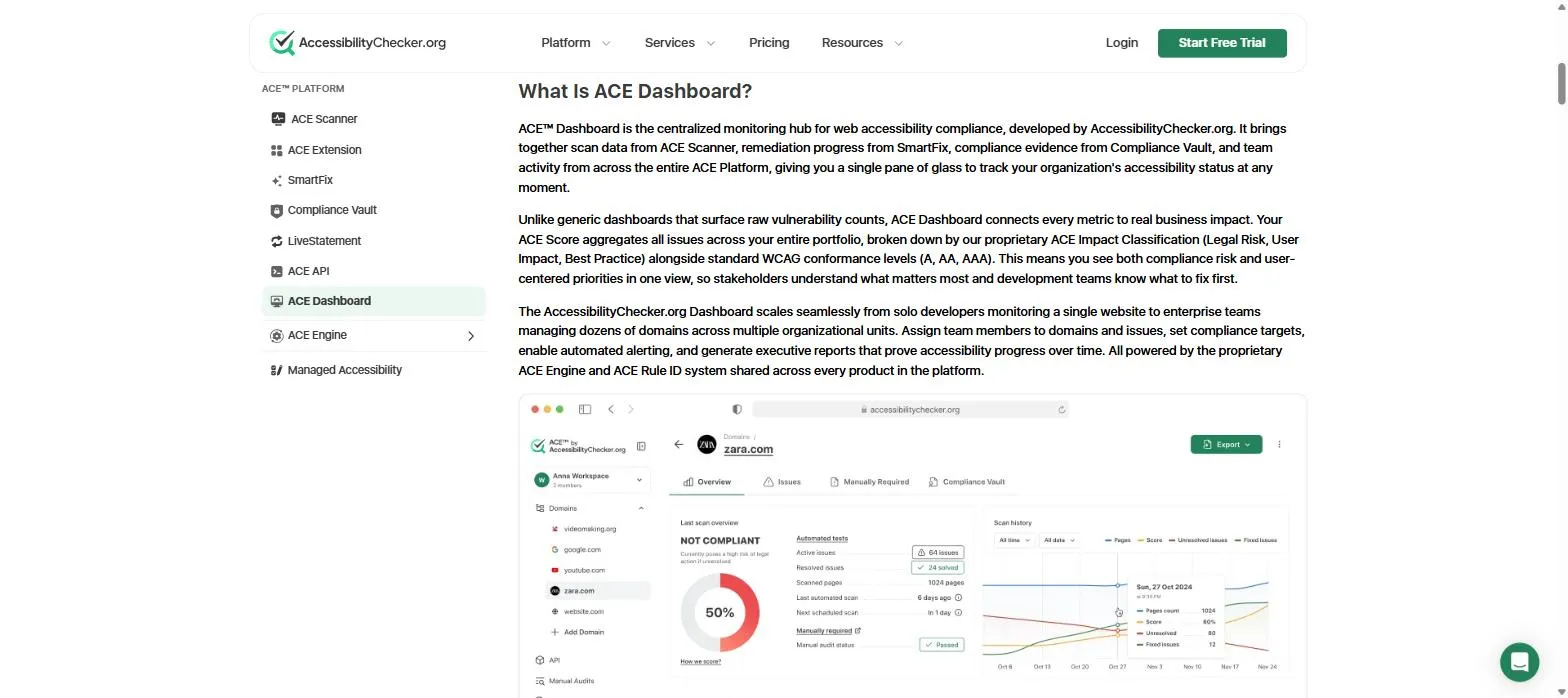
Best for: SMBs and agencies that want affordable, code-level automated scanning with transparent, published pricing.
AccessibilityChecker.org runs the ACE™ scanner, which rescans sites weekly and layers on SmartFix™, an AI tool that suggests code-level fixes for a human to review and approve rather than auto-applying changes to the page.
The platform markets itself explicitly against overlay-style “quick fix” widgets, positioning ACE™ as a code-level alternative. It’s one of the few tools on this list with fully public, transparent pricing — a meaningful advantage for smaller teams comparing options without a sales call.
Key features
- ACE™ Scanner with automatic weekly rescans
- SmartFix™ AI-suggested, human-approved code fixes
- Compliance Vault™ for centralized audit evidence
- LiveStatement™ auto-updating accessibility statement
- Optional expert audits, VPAT, and user testing add-ons
Pros
- Rare, fully transparent public pricing plus a 7-day free trial
- Positions itself around code-level fixes rather than an overlay widget
- Combines automated scanning with optional human audit services
Cons
- No native CI/CD or IDE integration comparable to axe DevTools or Level CI, so it fits best as a scanning and monitoring layer rather than a developer-pipeline tool
- Per-URL pricing tiers can add up quickly for larger sites
Pricing: Free 7-day trial. Annual billing: Lite $69/mo (25 URLs), Starter $119/mo (100 URLs), Growth $249/mo (500 URLs), custom quote beyond that.
5. WAVE (WebAIM)
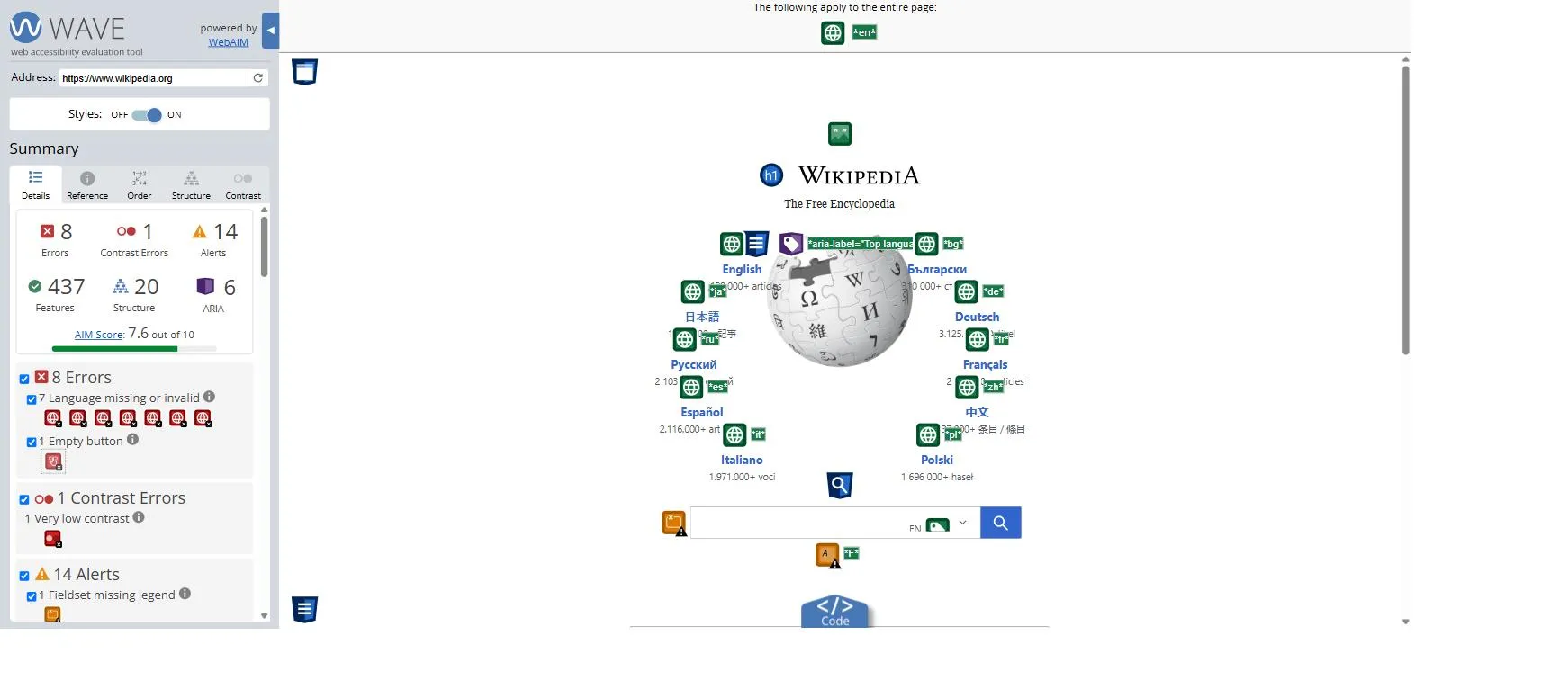
Best for: Quick, free, single-page spot-checks and accessibility education — not site-wide enterprise monitoring.
WAVE, built and maintained by WebAIM at Utah State University, has been a go-to first-pass diagnostic for over two decades. Enter a URL, or install the free browser extension, and WAVE overlays icons directly on the page showing errors, alerts, and accessibility features in context.
WAVE deliberately frames itself as a tool that facilitates human evaluation rather than one that claims to catch everything automatically — a refreshingly honest positioning in a category full of overstated claims. For site-wide, scheduled monitoring, WebAIM partners with Pope Tech, which builds an enterprise layer on top of the same WAVE engine.
Key features
- Free web-based report tool — no account needed
- Free Chrome, Firefox, and Edge extensions for password-protected or dynamic pages
- Stand-alone installable Testing Engine and subscription API for bulk testing
- Paid AIM Report combining WAVE data with expert manual review
- Enterprise site-wide monitoring available via Pope Tech
Pros
- Core tool and browser extensions are completely free
- Built and maintained by a respected nonprofit accessibility research group
- Honest about the limits of automation rather than overselling
Cons
- No built-in site-wide crawl or dashboard without pairing with Pope Tech
- API pricing is credit-metered, which makes cost less predictable at scale
Pricing: Web tool and extensions free. API: 100 free credits, then $0.04/credit (250–999), scaling down to $0.025/credit at 10,000+.
6. Level Access
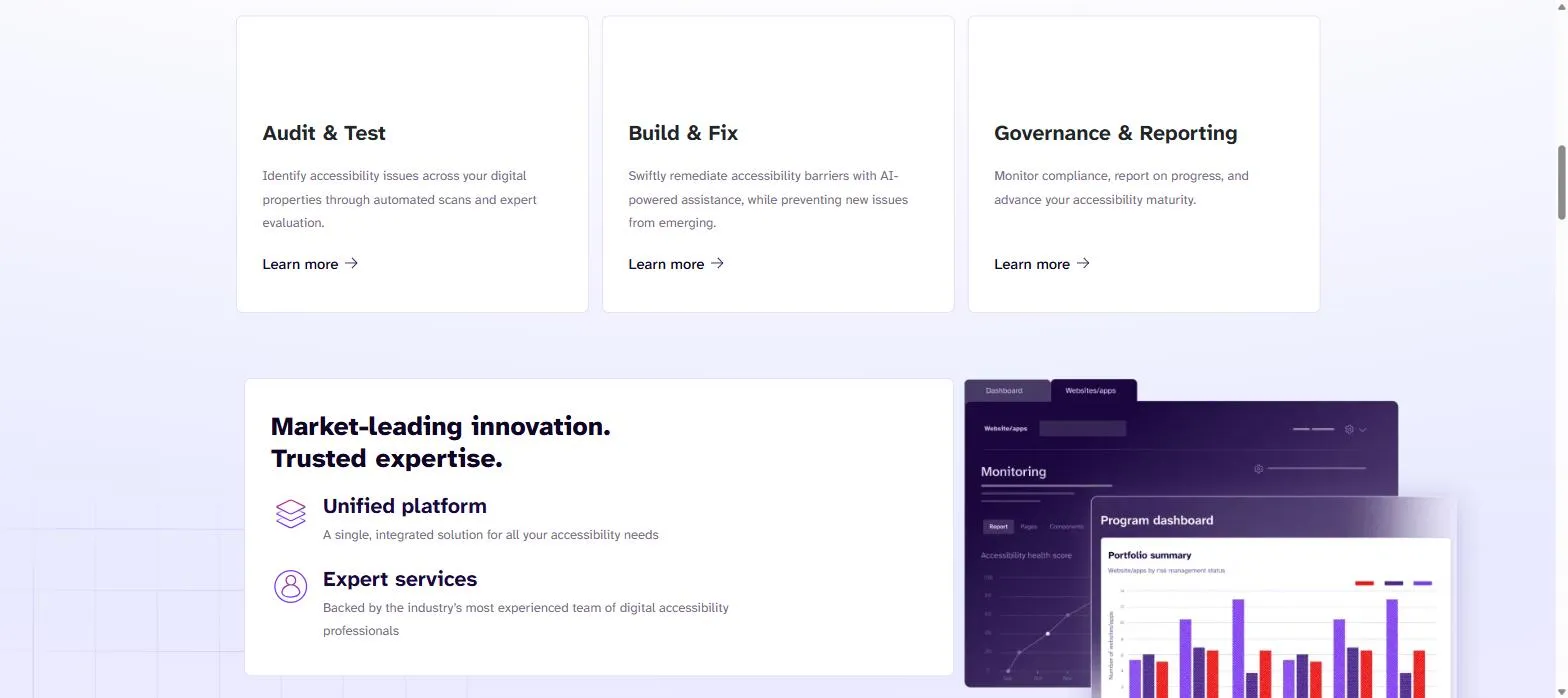
Best for: Large enterprises and software vendors that need a full-lifecycle program — testing, remediation, training, and VPAT documentation — across web, mobile, and software.
Level Access has been in the accessibility space since 1999 and structures its platform around three pillars: Audit & Test, Build & Fix, and Governance & Reporting. It covers not just websites but native iOS/Android apps, software, IoT, and Office-derived PDFs through its LevelDocs product.
In 2025–2026 the company has pushed hard into AI Accessibility Agents, including a conversational reporting assistant, and expanded distribution through the Microsoft Marketplace. Its customer base — Wells Fargo, Walmart, CarMax, Zendesk — skews toward large, regulated organizations that need documentation (VPATs/ACRs) as much as fixes.
Key features
- Level CI for accessibility testing inside CI/CD pipelines
- Native iOS and Android mobile accessibility testing
- LevelDocs for generating accessible PDFs from Office files
- AI Accessibility Agents, including a conversational reporting assistant
- VPAT and ACR documentation support
- Level Access Academy for training and certification
Pros
- Full-lifecycle offering — software plus human services — from a single vendor
- Long track record and large enterprise reference base
- Actively expanding AI agents and enterprise distribution channels
Cons
- No public pricing or free trial — demo and quote only
- Broad platform can mean more complexity than a smaller team needs
Pricing: No free tier; fully custom, quote-based pricing.
7. AudioEye
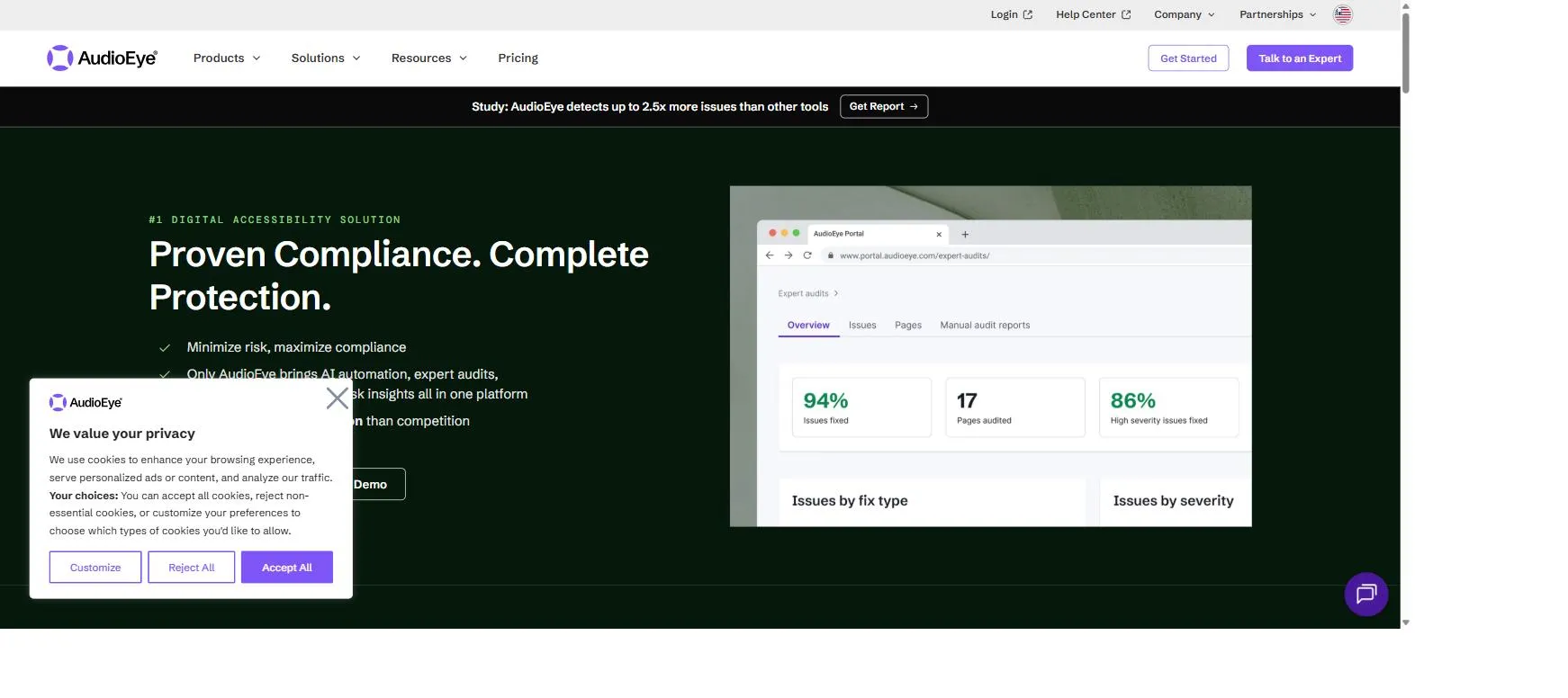
Best for: Businesses that want a managed, hybrid service — automated fixes plus human audits and legal-risk support — rather than a self-serve testing tool.
AudioEye positions itself as a managed accessibility service rather than a pure testing tool: automated scanning and JS-based fixes are paired with expert manual audits, custom code fixes, and — on its top-tier plan — a legal-risk guarantee called AudioEye Assurance.
AudioEye states its automation resolves roughly half of detected issues on its own, with the rest routed to human experts. Some of its comparative marketing statistics (for example, claims of detecting several times more issues than competitors) come from AudioEye’s own or vendor-commissioned research rather than independent third-party studies, so it’s worth reading those figures as claims rather than settled fact.
Key features
- Automated scanning and monitoring with automated JS-based fixes
- Expert manual audits and custom code fixes
- AudioEye Assurance legal-risk guarantee (top-tier plan)
- Document and PDF remediation, plus closed captioning via a partner
- Developer tools and CMS integrations
Pros
- Combines automation with human review rather than automation alone
- Offers legal-support services in a category where ADA/EAA litigation risk is a real business concern
- Broad service scope from a single vendor
Cons
- Comparative statistics are largely self-reported or vendor-commissioned rather than independently verified
- No fully transparent self-serve pricing beyond the entry tier
Pricing: Three tiers (Automated, Self-Managed, Managed); entry tier is self-serve, higher tiers are quote-based.
8. Pa11y
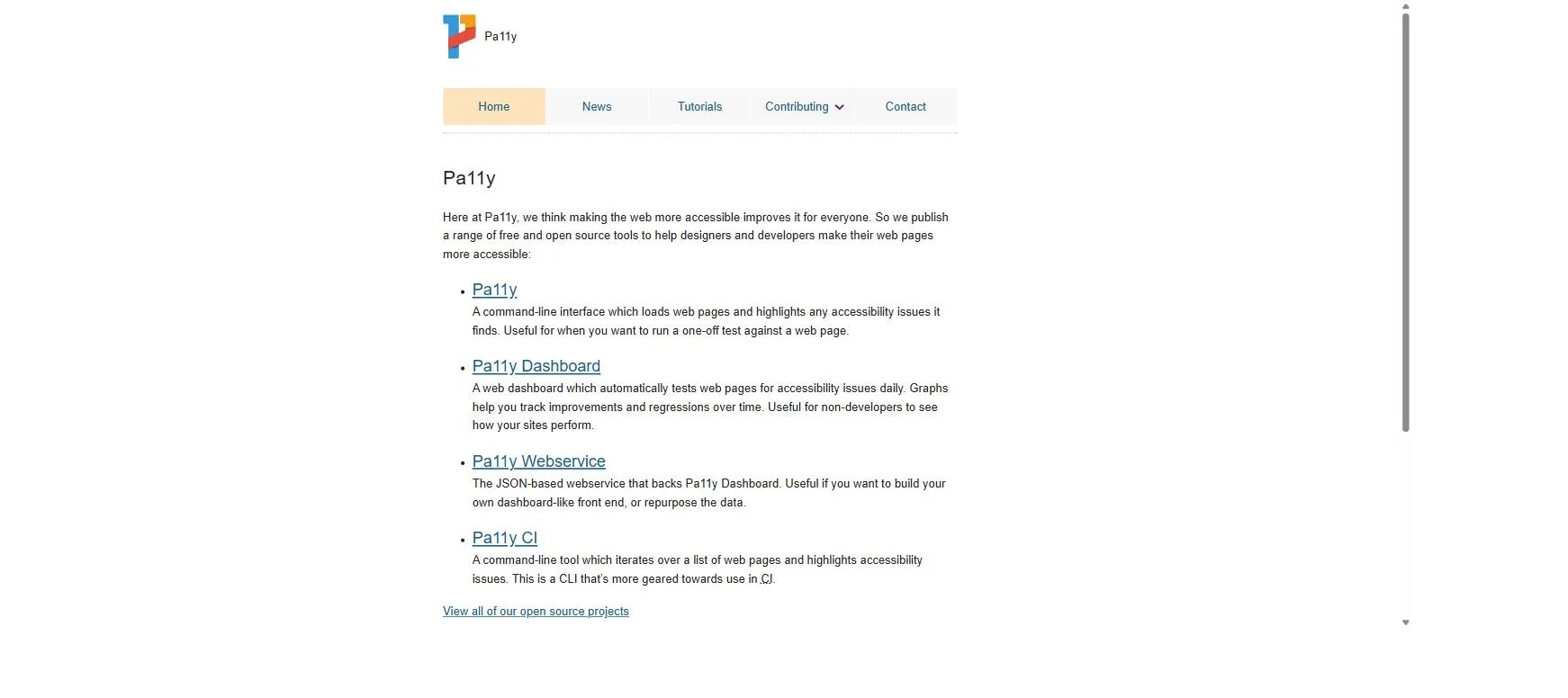
Best for: Developers who want a free, scriptable, open-source CLI tool for local workflows and CI pipelines.
Pa11y is a free, open-source command-line accessibility tester that plugs into build pipelines with minimal fuss. It supports pluggable test engines (HTML CodeSniffer by default, or axe-core via a runner module) and configurable standards, from WCAG2A up to Section 508.
For teams that want a lightweight visual layer, the separate Pa11y Dashboard project adds a self-hosted web UI with daily automated tests and regression graphs. Being volunteer-maintained open source, it comes with no commercial SLA — but it’s genuinely free at any scale, which is rare in this category.
Key features
- Scriptable CLI with pluggable engines (HTML CodeSniffer or axe-core)
- Configurable standards: WCAG2A/AA/AAA, Section 508
- Pa11y CI for testing across lists of URLs in a pipeline
- Optional self-hosted Pa11y Dashboard with regression graphs
Pros
- Completely free and open source at any scale
- Highly scriptable — a natural fit for CI/CD pipelines
- Choice of underlying test engine
Cons
- Automated-only coverage, with no guided manual-testing layer built in
- CLI-first tool — no polished non-technical UI without deploying the separate Dashboard
- Volunteer-maintained — no commercial support or compliance guarantee
Pricing: Free and open source; no paid tier.
9. Accessibility Insights
Best for: Developers who want a free, Microsoft-backed browser extension that bridges quick automated checks with guided manual testing.
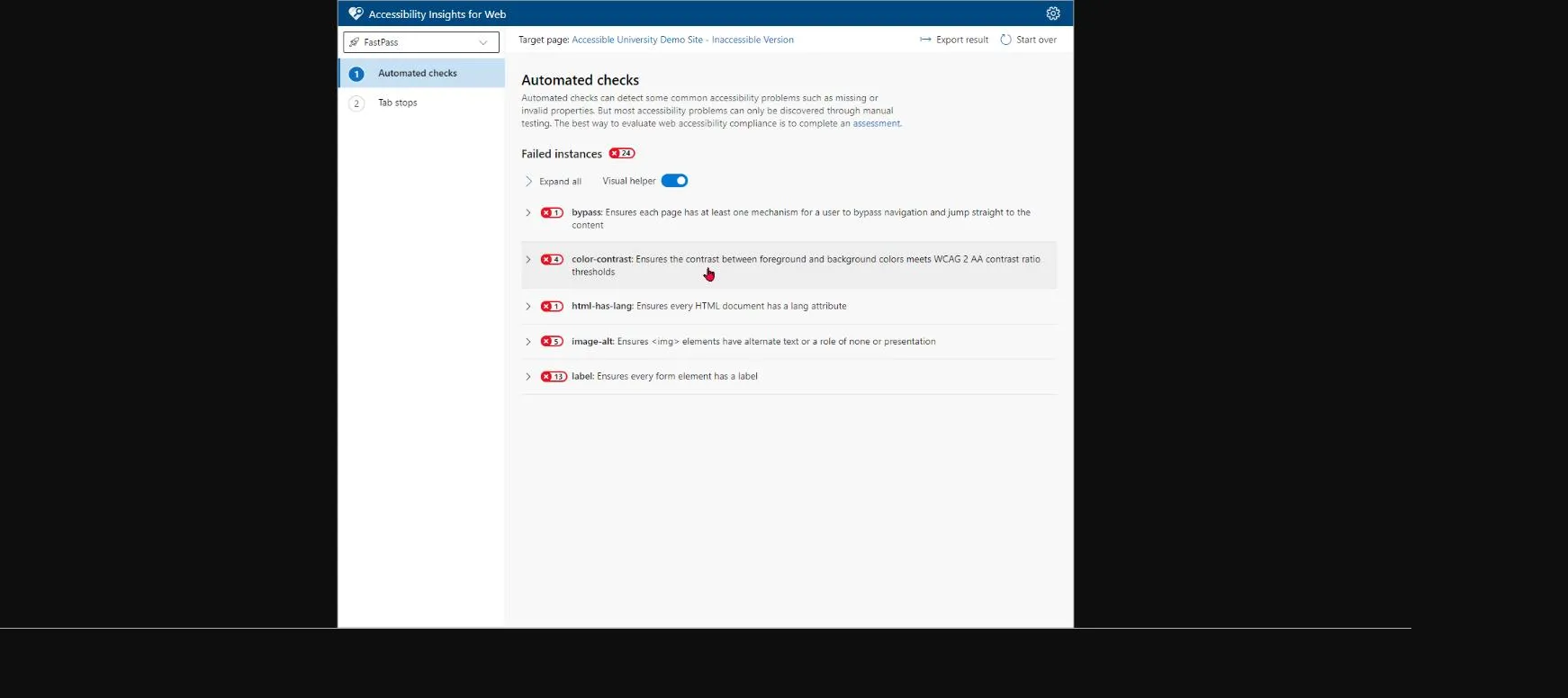
Accessibility Insights is a free, open-source tool from Microsoft, available as a browser extension (Accessibility Insights for Web) and as a native Windows app for testing desktop software. Its standout feature is FastPass — a two-step check combining axe-core automated rules with a guided, assisted test for keyboard tab order that takes under five minutes.
Its fuller Assessment mode walks through roughly 50 automated and 20 guided manual tests mapped to WCAG 2.1 AA, making it one of the more effective free bridges between pure automation and the manual testing that automation alone can’t do.
Key features
- FastPass: a 2-step automated-plus-guided check under 5 minutes
- Assessment mode covering ~50 automated and ~20 guided manual tests
- Accessibility Insights for Windows for native app testing (Inspect, Live Inspect, Color Contrast Analyzer)
- Visual Helper overlays showing issues directly on the page
Pros
- Completely free and open source, with no paid tier at all
- Actively bridges the automation-only gap with genuinely guided manual tests
- Backed by Microsoft with active documentation and maintenance
Cons
- Assessment workflow targets WCAG 2.1 AA, with no confirmed WCAG 2.2/3.0 support yet
- Scoped to Chrome/Edge single-page testing — not a site-wide or CI/CD monitoring tool
- No enterprise support layer or compliance guarantee
Pricing: Completely free and open source, both Web and Windows versions.
10. Google Lighthouse
Best for: Developers who want a free, zero-setup automated audit built directly into Chrome DevTools.
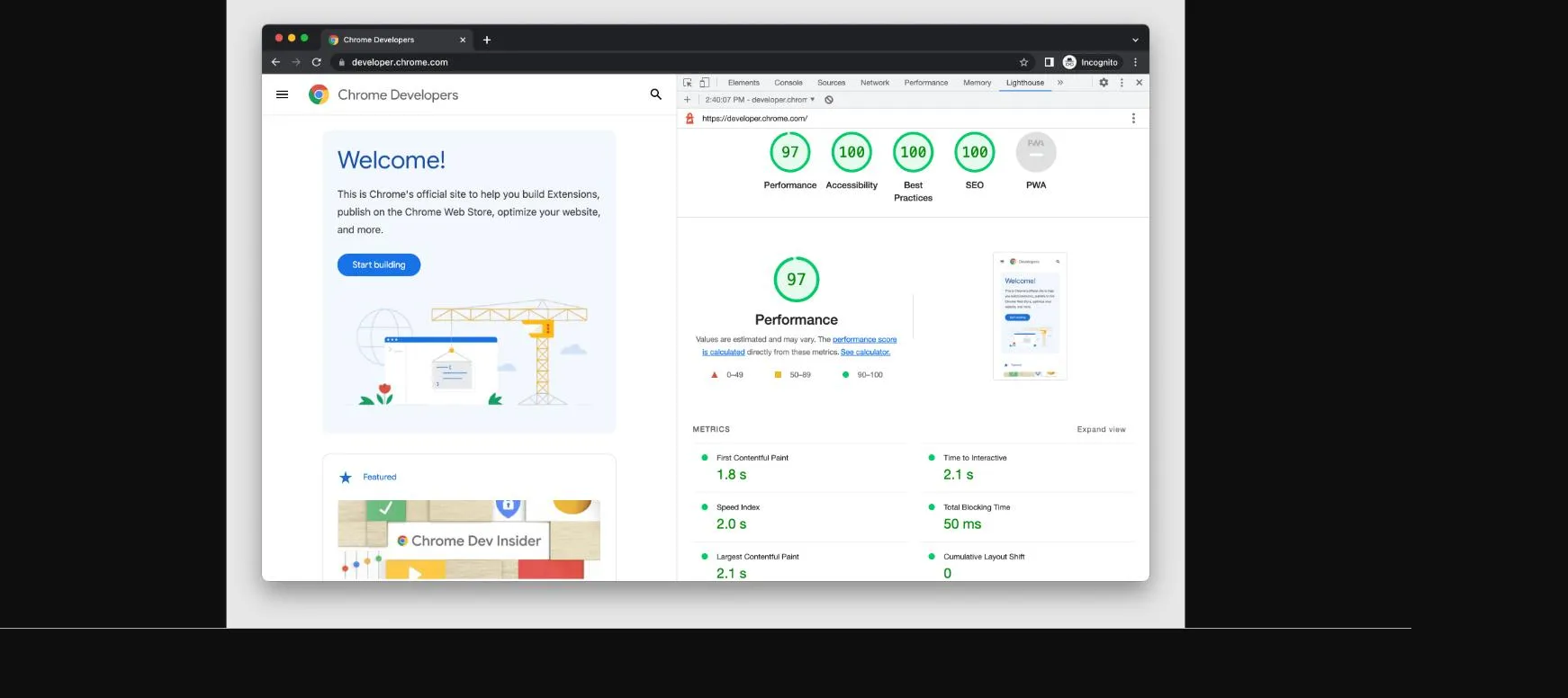
Lighthouse is Google’s free, open-source auditing tool built into Chrome DevTools, runnable via CLI, as a Node module, or through PageSpeed Insights. Its accessibility score is a weighted average of 50+ automated audits, many powered by axe-core rules, and it explicitly flags certain checks as “manual review only” — tab order, custom ARIA roles, and focus traps among them — rather than pretending automation covers everything.
It’s the fastest way for a developer to get a rough accessibility read on a page with zero setup, though it offers no dashboard, no historical tracking, and no site-wide view — it’s a point-in-time, per-page tool by design.
Key features
- Built into Chrome DevTools, with CLI and Node module options for CI
- Accessibility score from 50+ automated audits tied to axe-core rules
- Explicit “manual checks” section for items automation can’t judge
- PageSpeed Insights web UI — no installation needed
Pros
- Free, zero-install, and scriptable via CLI/Node for CI pipelines
- Transparent, open-source rule set
- Actively maintained with frequent Chrome-version-tied releases
Cons
- No dashboard, historical tracking, or org-wide monitoring — per-page and point-in-time only
- Pass/fail scoring covers only a subset of WCAG criteria, with no guided remediation
- No expert review or compliance/legal features
Pricing: Free and open source; ships with Chrome; no paid tier.
Which Accessibility Tool Is Right for You?
Team profile and budget matter as much as feature lists. Here’s how the field breaks down by who’s buying:
| Team / Industry | Best Fit | Why |
|---|---|---|
| Solo developer / small team | Google Lighthouse or Accessibility Insights | Free, zero setup, good enough for a first pass. |
| Agency serving multiple clients | Accessibility Checker (ACE™) or Pa11y | Transparent per-site pricing, or free/open-source for technical agencies. |
| Enterprise with compliance obligations | QualiBooth, Siteimprove, or Level Access | Site-wide monitoring, executive reporting, and audit-ready documentation. |
| Government / public sector | Level Access or Siteimprove | Established VPAT/ACR support and long track record with public-sector procurement. |
| Healthcare | QualiBooth or Level Access | Manual audits and lived-experience testing matter most where patient-facing accessibility is high-stakes. |
| E-commerce | QualiBooth or AudioEye | Continuous monitoring catches regressions introduced by frequent catalog and promo updates. |
| Education / higher ed | Level Access or WAVE + Pope Tech | Mature offerings built around ADA/Section 508 obligations specific to higher ed. |
Can Automated Accessibility Tools Detect Everything?
No — and any vendor claiming otherwise should be treated with skepticism. Independent research, including WebAIM’s long-running “WebAIM Million” study of the top one million home pages and industry estimates cited across the accessibility field, consistently finds that automated testing tools catch roughly 30–40% of WCAG success criteria on their own. The rest — things like whether reading order makes sense, whether a form error message is actually helpful when read aloud, or whether a video’s captions are accurate — require manual testing, and ideally testing by people who actually rely on assistive technology day to day.
This is precisely why the strongest platforms on this list (QualiBooth, Level Access, Siteimprove, AudioEye) pair automated scanning with human audit services rather than shipping automation alone. Tools that are automation-only — Lighthouse, Pa11y, and to a large extent axe DevTools and Accessibility Insights in their free tiers — are excellent for catching the technical, code-level 30–40%, but shouldn’t be mistaken for a full compliance solution on their own.
A practical rule of thumb for 2026: use an automated tool continuously to catch regressions as they ship, and schedule periodic manual and assistive-technology-user audits — quarterly at minimum, or after any major redesign — to catch what automation structurally cannot.
Final Verdict
Top 3
- QualiBooth — the most complete combination of automated monitoring, AI-assisted fixes, and genuine manual/lived-experience audits, with compliance reporting mapped directly to WCAG 2.2, ADA, and EAA.
- Deque axe DevTools — the strongest pure developer tool, built on the industry-standard axe-core engine with deep CI/CD and IDE integration.
- Siteimprove — the strongest fit for large enterprises that want accessibility folded into a broader content-governance and reporting program.
Rounding out the list: Accessibility Checker (ACE™) for transparent, affordable SMB pricing; WAVE for free, educational spot-checks; Level Access for full-lifecycle enterprise programs with strong documentation support; AudioEye for managed, hybrid service with legal-risk support; Pa11y for free, scriptable CI testing; Accessibility Insights for Microsoft-backed guided testing; and Google Lighthouse for a free, zero-setup first pass built into Chrome.
Frequently Asked Questions
What’s the difference between an accessibility scanner and an accessibility monitoring platform?
A scanner gives you a point-in-time snapshot of one page or crawl. A monitoring platform runs continuously (scheduled or real-time), tracks your compliance score over time, and alerts you when a change introduces a regression — which matters because sites change constantly between audits.
Do I need WCAG 2.2 AA specifically, or is WCAG 2.1 still acceptable?
WCAG 2.2 is now the current version referenced by most regulations, including the EAA and updated ADA guidance. WCAG 2.1 AA-compliant sites are close, since 2.2 mostly adds new success criteria on top of 2.1 rather than removing any, but new projects should target 2.2 AA directly.
Can a free tool like Lighthouse or Pa11y be enough for a small business?
For a small, low-risk site, a free automated tool combined with a manual review of key user flows (forms, checkout, navigation) can be a reasonable starting point. As legal exposure or user base grows, most businesses eventually need continuous monitoring and at least periodic manual audits.
Are overlay widgets the same as the tools on this list?
No. Overlay widgets are third-party scripts that attempt to modify a page’s accessibility on the fly, and they’ve drawn significant criticism from accessibility experts and disability advocates for masking rather than fixing underlying code issues. Every tool on this list either performs genuine code-level scanning and remediation guidance, or explicitly markets itself against the overlay approach.
How much does an accessibility testing platform typically cost?
It ranges enormously: free and open-source tools (Lighthouse, Pa11y, Accessibility Insights, WAVE’s core tool) cost nothing; SMB-focused platforms like Accessibility Checker publish tiers from roughly $69–$249/month; QualiBooth’s Standard plan starts at $79/month; and enterprise platforms like Siteimprove and Level Access are quote-based, typically running into five figures annually for larger sites.
Getting Started
There’s no single tool that makes a site accessible by itself — automation, no matter how good, still needs a human layer to catch what code alone can’t judge. The strongest approach for most teams in 2026 is to pair continuous automated monitoring with periodic manual and assistive-technology-user audits, and to pick a platform that makes both of those easy to act on rather than just easy to run.
QualiBooth’s free URL scan takes under a minute and gives you a baseline accessibility score with a prioritized issue list — a reasonable first step regardless of which tool you ultimately choose to run day to day.
Editorial note: This article was produced by QualiBooth. As with virtually every vendor-published “top tools” list in this category, our evaluation ranked QualiBooth highest overall; we’ve aimed to describe competitors’ features, pricing, and limitations accurately and transparently rather than omit relevant context. Screenshots throughout were captured directly from each vendor’s own website or product documentation as of mid-2026 and are credited by source URL beneath each image; re-capture before publishing if you want fully current visuals.
See how QualiBooth compares